Simon Willison Runs Datasette Python App In Browser
Simon Willison has released a complete rewrite of Datasette Lite, allowing the full server-side Datasette Python app to run in the browser with service workers and Pyodide. This enables users to load client-side Datasette and browse various files without needing a full web server.
Original reporting · simonwillison.net
Original: “Running the full server-side Datasette Python app in the browser with service workers and Pyodide”
Read “Running the full server-side Datasette Python app in the browser with service workers…” at Simon Willison →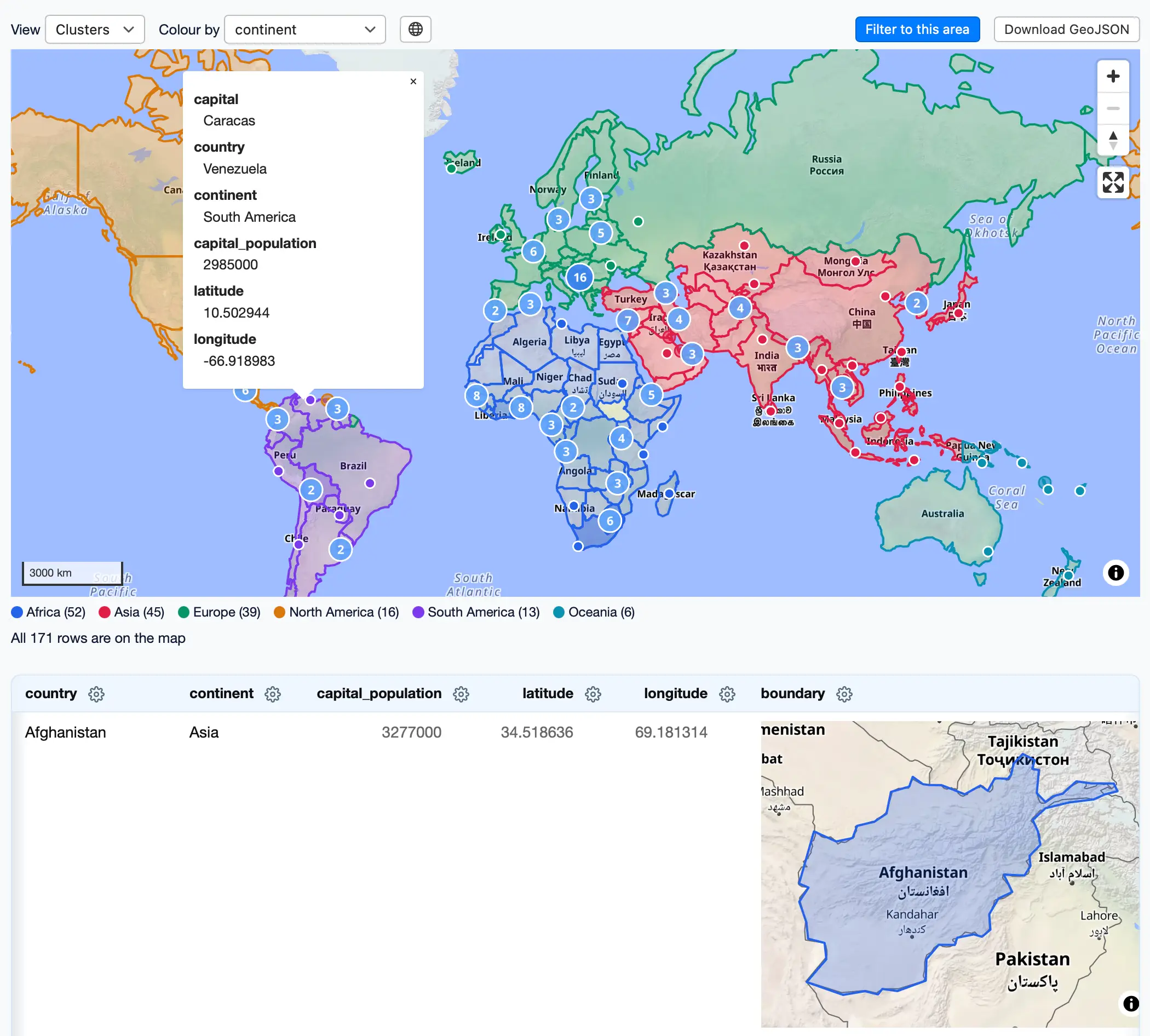
How this was written. GDS wrote this article with a language model from Simon Willison’s reporting (model: @cf/meta/llama-3.3-70b-instruct-fp8-fast); it describes that reporting rather than adding to it. The original, linked above, is the full story.
Key points from Simon Willison’s report
- Datasette Lite allows the full server-side Datasette Python app to run in the browser with service workers and Pyodide.
- The new version of Datasette Lite uses service workers to intercept HTTP requests and serve them from client-side code instead.
- Users can load specific Datasette references, plugins, and SQLite versions, making it a useful tool for linking to demos of work-in-progress features or bug reproductions.
- The app allows users to pick their version of SQLite, which is useful for demonstrating new SQLite features and debugging issues.
- Datasette Lite is already being used as part of the Datasette development process to demonstrate bugs and fixes.
Simon Willison, according to his publication, has achieved a significant milestone by running the full server-side Datasette Python app in the browser using WebAssembly and Pyodide. This is made possible through Datasette Lite, a port of the Datasette Python application that can now be used to browse SQLite databases, JSON files, CSV files, or SQL scripts directly in the browser.
The new version of Datasette Lite uses service workers, allowing it to intercept HTTP requests and serve them from client-side code instead. This approach enables the app to load additional JavaScript or CSS files, which was not possible in the previous version. Users can now select a released version of Datasette to load from PyPI, load a specific commit, tag, or branch name from the Datasette GitHub repository, and pick from over 100 versions of SQLite to use with Datasette.
One of the key features of Datasette Lite is its ability to load specific Datasette references, plugins, and SQLite versions, making it a useful tool for linking to demos of work-in-progress features or bug reproductions. For example, a carefully crafted URL can be used to load a specific Datasette instance with additional plugins, such as the datasette-maplibre plugin, and display a combined map and individual boundary maps in a table.
The URL used to load Datasette Lite can be broken down into several parts, each specifying a particular action, such as installing additional plugins, loading a SQLite database, or loading metadata. The ?install= parameter can be used to install plugins from PyPI, while the &url= parameter can be used to load a SQLite database from a provided URL. The &metadata= parameter can be used to load metadata, which adds HTML descriptions to various tables and the Datasette homepage.
The new version of Datasette Lite also allows users to pick their version of SQLite, which is useful for demonstrating new SQLite features and debugging issues. This is made possible through WebAssembly, which enables the loading of custom SQLite builds entirely in the browser. Simon Willison has created a repository containing WebAssembly compiled Python wheels for pysqlite3 for 163 different SQLite versions, each with a unique file name.
The use of service workers in Datasette Lite enables the app to route requests back through the parent page to a web worker running a dedicated Datasette instance for each session. This is necessary because the service worker is shared between all tabs, and each tab needs to have its own dedicated Datasette instance. The parent page generates a random session ID, which is used as a prefix for all subsequent hidden asset and page loads.
Simon Willison has already started using Datasette Lite as part of the Datasette development process, using it to demonstrate bugs and fixes. For example, he posted a comment on a recent issue describing a pagination bug, using links to Datasette Lite to demonstrate the old, broken behavior and the new fix.
Questions and answers
What is Datasette Lite?
Datasette Lite is a port of the Datasette Python application that can run directly in the browser using WebAssembly and Pyodide.
What are the benefits of using Datasette Lite?
Datasette Lite allows users to load client-side Datasette and browse various files without needing a full web server, making it a useful tool for linking to demos of work-in-progress features or bug reproductions.
How does Datasette Lite use service workers?
Datasette Lite uses service workers to intercept HTTP requests and serve them from client-side code instead, enabling the app to load additional JavaScript or CSS files and route requests back through the parent page to a web worker running a dedicated Datasette instance for each session.